What happened?
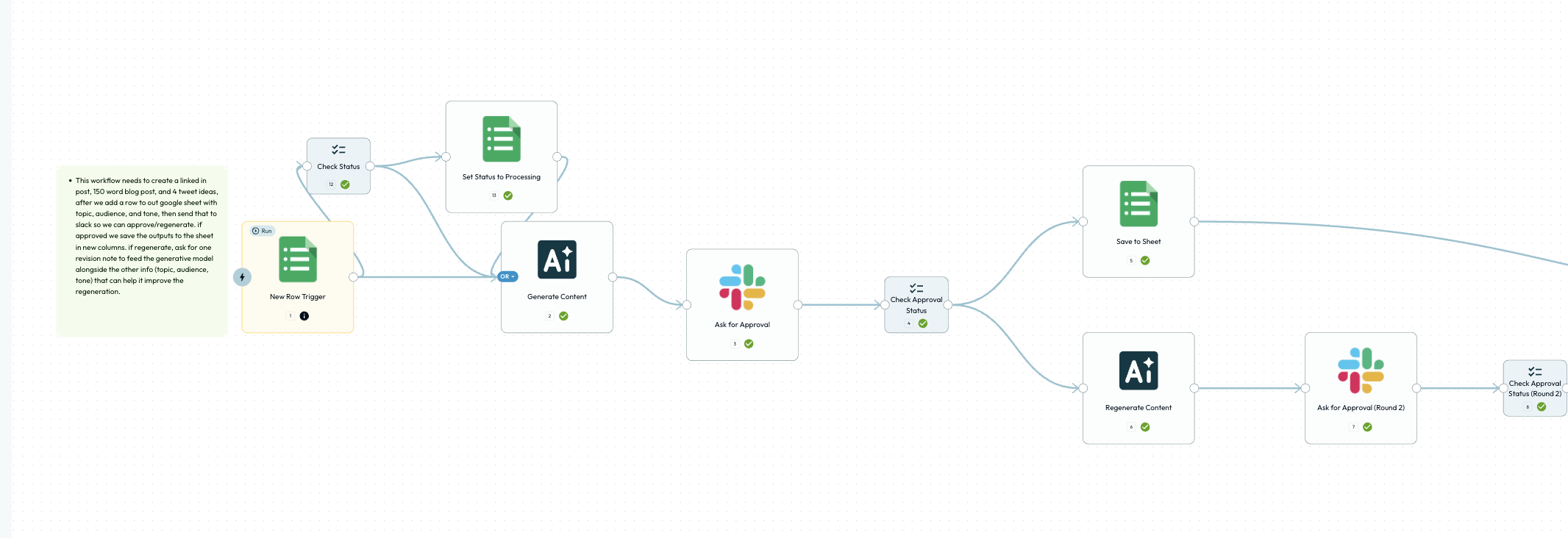
When adding nodes to the beginning of a workflow, node placement/layout is off. The first node didn’t move to make space, so new nodes were placed awkwardly.
Steps to reproduce:
1. Open an existing workflow in the editor.
2. Try adding a new step/node at the very start (before the first node).
3. Observe layout/placement issues (nodes overlap or don’t shift properly).
What did you expect?
The editor should re-layout smoothly and create space for new nodes inserted at the start.
Extra details
Using Brave Browser V1.183.120, on macOS Tahoe 26.2