Env:
Browser: Chrome
Browser version: 144.0.7559.110 (Official Build) (64-bit)
Preconditions:
User is logged in
Steps to Reproduce
-
Go to Apps & Services
-
Connect a Google account (successfully completes OAuth)
-
Create or open an automation
-
Add a Google Calendar action (e.g., Invite to event / Add Attendees to Event)
-
Open the Account dropdown in the step configuration
Expected Result
-
The previously connected Google account should appear in the Account dropdown
-
User should be able to select it without re-authenticating
Actual Result
-
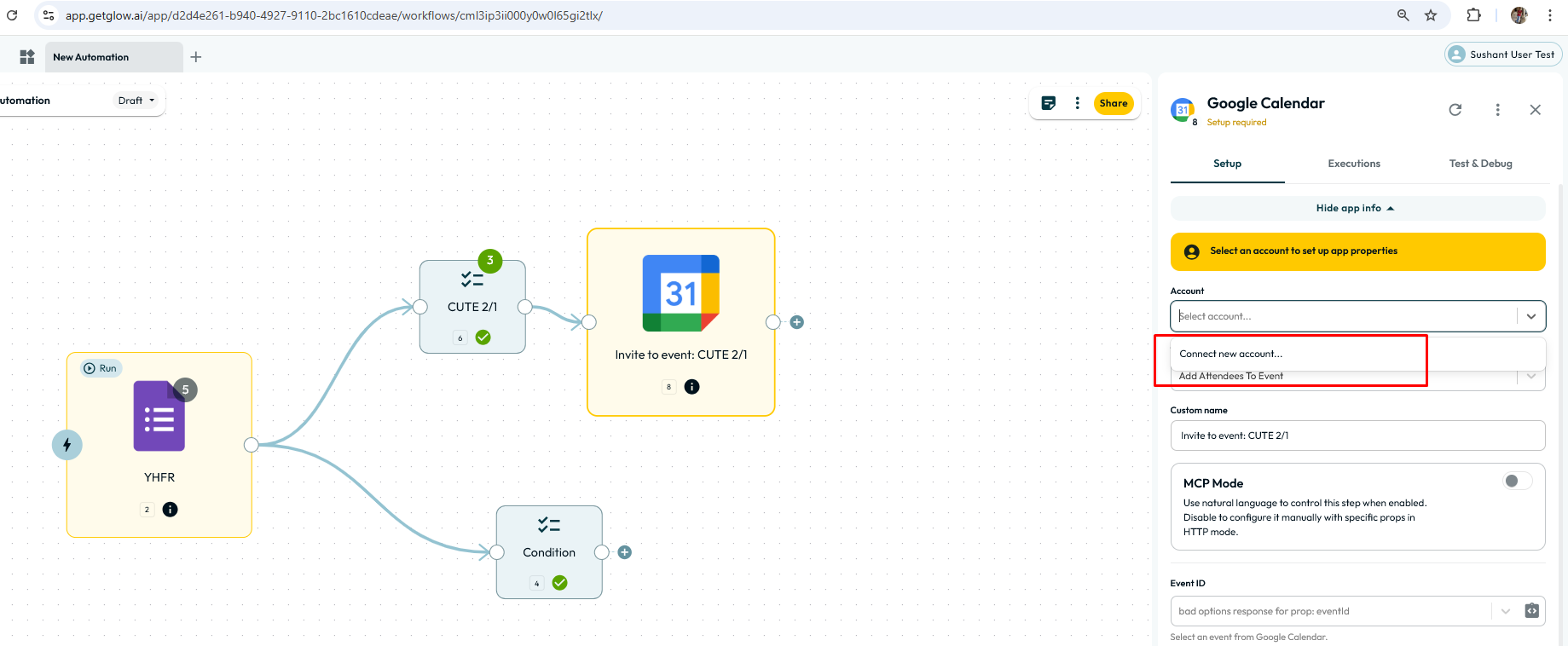
The dropdown only shows:
- “Connect new account…”
-
Previously connected account is not listed
-
User is forced to reconnect the same Google account again
Refer to the attached screenshot: