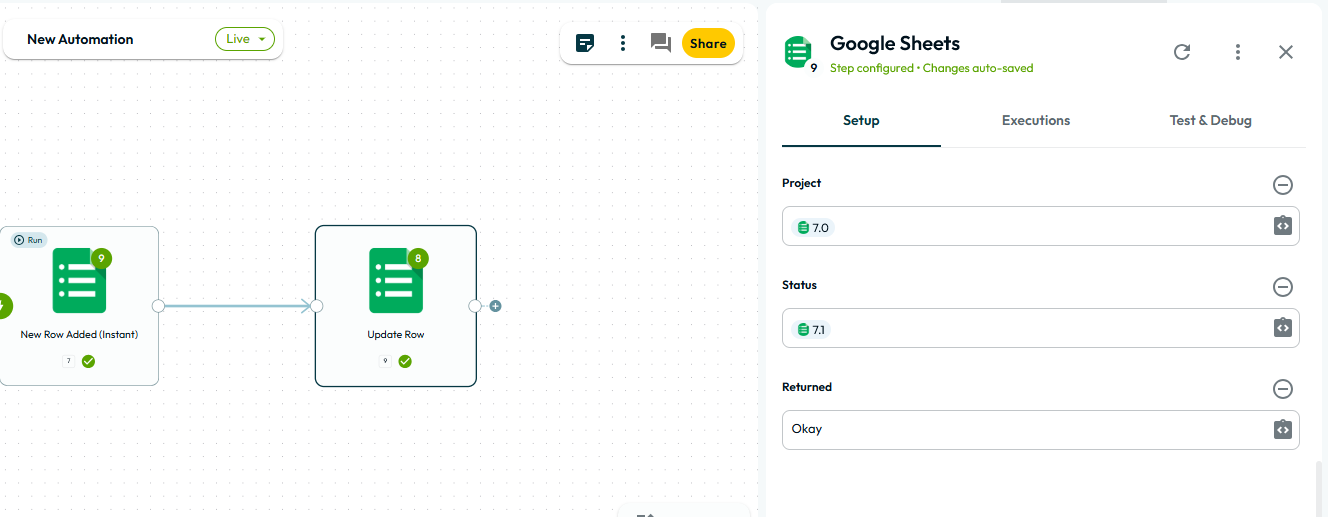
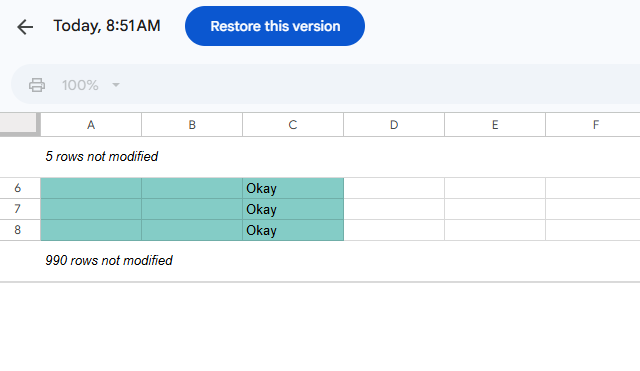
The Google Sheets update row action sometimes writes data to unintended rows. When provided with a specific row number from a previous step, it was supposed to add "okay" to the third column of that single designated row. Instead, it updated three rows simultaneously, overwriting multiple entries. This can cause data corruption and workflow errors.
Media:
Steps to Reproduce:
-
Set up a Google Sheets workflow with an “Update Row” action.
-
Provide the row number from a previous step as the target.
-
Specify the value
"okay"for the third column. -
Run the workflow.
-
Inspect the sheet to see which rows were updated.
Expected Result:
Only the specified row should be updated with "okay" in the designated column.
Actual Result:
Multiple rows (three in this instance) are updated at once, instead of only the intended row.