The Google Chat Trigger shows an “authentication failed” error even after successful authentication and fetching of Spaces/Rooms, which prevents the trigger from activating and blocks any workflows that depend on Google Chat events.
Media:
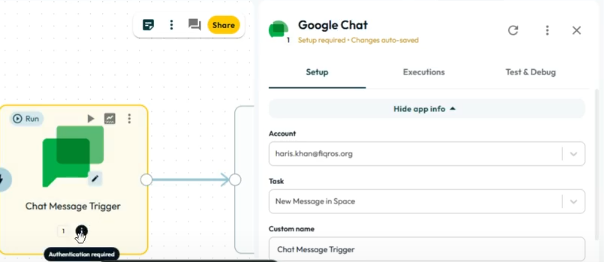
Steps to reproduce
-
Add a Google Chat Trigger to a workflow.
-
Authenticate the Google account.
-
Fetch Spaces/Rooms successfully from the trigger configuration.
-
Activate or test the trigger.
Expected result
The trigger should authenticate successfully and start listening for Google Chat events without errors.
Actual result
The trigger displays an “authentication failed” message and does not function, despite successful authentication and successful fetching of Spaces/Rooms.